Apps & tracking
The Best Meal Planner Apps in 2026: An Honest Comparison
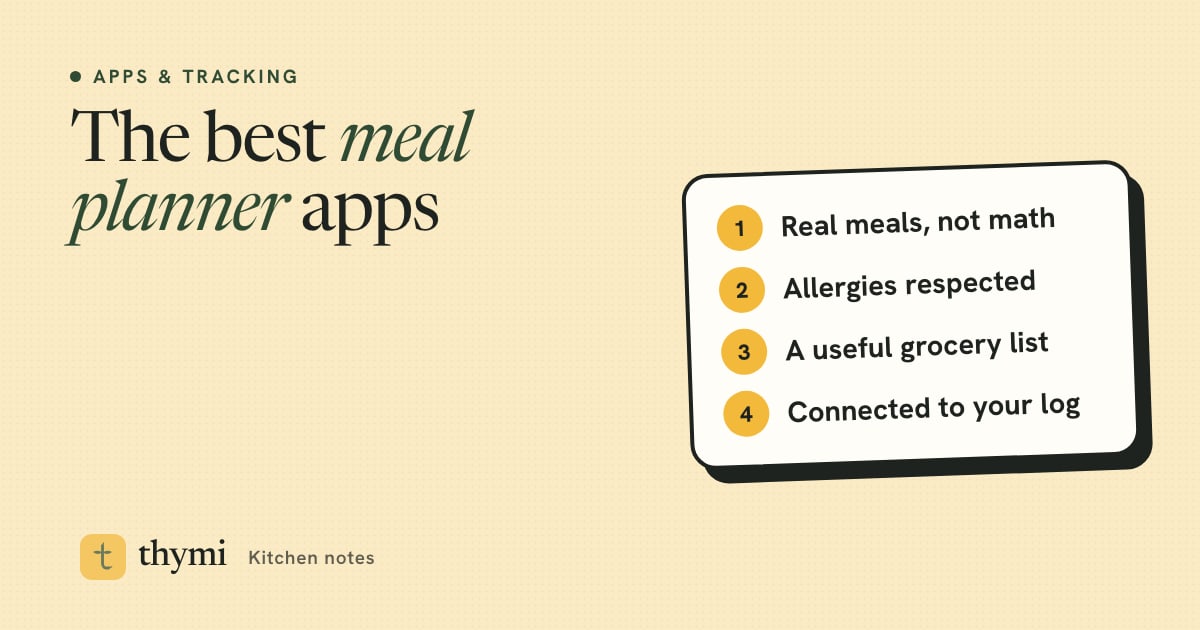
The best meal planner app is the one that plans food you will actually cook and eat, at portions that fit your goal, and turns the plan into a usable grocery list. For weight loss, look for real dishes sized to your calorie and protein targets, strict allergy handling and a direct link to your food diary. Thymi, MyFitnessPal's Meal Planner, Eat This Much, Samsung Food and Paprika each solve a different part of that problem, and the right pick depends on how you eat.
If you are looking for a Mealime alternative
Mealime has been a popular free meal planning app for years, known for simple recipes and tidy grocery lists. Its website now says that Mealime will shut down on October 21, 2026. If you used it, save or copy any recipes you rely on before then, and use the criteria below to choose a replacement that fits the way you cook.
A quick word on how we wrote this. We make Thymi, so we are not neutral. We have tried to describe every app fairly, using each company's own website or app store listing where we could, and we say plainly where another app is the better choice. Prices and features change often, so treat everything here as correct at the time of writing (October 2026) and check the app store before you subscribe.
How to choose a meal planning app: 6 criteria
Most meal planner apps look similar in screenshots. The differences show up in week two, when you are tired, the fridge is half empty and the plan either helps or gets ignored. These are the things worth comparing.
1. Real meals or math-only plans
Some planners start from recipes and add nutrition afterwards. Others start from numbers and assemble foods until the totals add up. Math-first plans can hit targets precisely but sometimes produce combinations nobody would actually cook, like a lunch of three unrelated sides. Recipe-first plans feel more natural but may not fit your calorie target without adjustment. The ideal is both: dishes you recognize, with portions scaled to your numbers.
2. Calorie and protein targets
If weight loss is the goal, the plan should be built around a daily calorie target and a protein target, not just a list of "healthy" recipes. Protein matters because it helps you feel full and protects muscle while you eat less; see how much protein you need a day. Check whether you can set your own targets or whether the app only offers a fixed plan.
3. Allergy and diet handling
Choosing "vegetarian" or "no nuts" in settings is easy. Enforcing it is harder. Good planners check every ingredient, including less obvious sources such as pesto (often pine nuts or cheese), Worcestershire sauce (usually anchovies) or stock cubes. If you have a true allergy, always read the recipe and the labels yourself, whichever app you use.
4. Grocery list quality
A grocery list is where a plan becomes real. The best lists merge duplicate ingredients across the week (two recipes needing half an onion become one onion), group items by store aisle, and let you tick off what you already have. A list that repeats "olive oil" seven times is a sign of a weak planner.
5. Connection to your food log
If you track calories, a plan that logs to your diary with one tap saves real time. If the planner and the tracker are separate apps, you end up entering every meal twice, which is usually when people stop. Our guide on how to choose a calorie tracker app covers the logging side in more detail.
6. Price and what is free
Most meal planner apps are free to download and charge for weekly plans, grocery lists or personalization. Check what you get for free, the monthly and yearly price, and whether a trial turns into a paid subscription automatically. One-time purchases still exist, mainly among recipe managers.
Tip: rank these six criteria for yourself before you download anything. Someone with a nut allergy and a busy job will weigh them very differently from a keen home cook who just wants a tidy recipe calendar.
Meal planner apps compared at a glance
Prices below are US prices at the time of writing (October 2026), from each app's website, help center or US App Store listing. Prices differ by country and change with promotions.
| App | Plan style | Targets | Grocery list | Logs to a food diary | Price (US) |
|---|---|---|---|---|---|
| Thymi (Menu board) | Real dishes for your country and chosen cuisines, portions scaled to you | Calories and protein | Merged weekly list by aisle (Pro) | Yes, one tap | Free: today's plan. Pro: $9.99/month or $59.99/year |
| MyFitnessPal Meal Planner | Recipe-based plans matched to goals and preferences | Goal-based | Automated, with grocery ordering in some regions | Yes, inside MyFitnessPal | Premium+: $99.99/year |
| Eat This Much | Generated automatically to hit calorie and macro targets | Calories and macros | Yes (Premium) | Yes, built-in tracking | Free: one day at a time. Premium: $14.99/month or $59.99/year |
| Samsung Food | Recipe library and saved recipes, AI weekly plans with Food+ | Nutrition goals and macro breakdown | Yes, shareable | Nutrition tracking in Food+ | Free core app. Food+: $6.99/month or $59.99/year |
| Paprika Recipe Manager 3 | Your own recipes on a daily, weekly or monthly calendar | Not built around targets | Combines ingredients, sorts by aisle | No | $4.99 one-time on iOS, each platform sold separately |
The apps, one by one
Thymi (Menu board)
We make Thymi, so read this section with that in mind. Thymi is a calorie tracker for iPhone, and its Menu board plans real dishes for your country and the cuisines you choose, with portions sized to your daily calorie and protein targets. Every ingredient is matched to USDA nutrition data, so the numbers in the plan are the numbers in your diary.
- Allergies and diets are enforced per ingredient, including hidden sources, rather than only by recipe tag.
- One-tap logging: eat the planned meal and log it to your food diary in one tap.
- Swaps: do not fancy a meal? Swap it for one of three options with the same calories.
- Real life: if you eat out, Thymi re-plans the rest of the day around what you actually ate. "Cook once, eat twice" plans leftovers on purpose.
- Grocery list: a merged weekly list grouped by aisle.
Price at the time of writing: today's plan is free. Thymi Pro unlocks the full week, swaps and the grocery list for $9.99 a month or $59.99 a year in the US. Limitations: Thymi is iPhone-only for now (Android is coming), and it is not a place to store a big personal recipe collection.
MyFitnessPal Meal Planner (Premium+)
MyFitnessPal added a Meal Planner in 2025, built on its acquisition of the meal planning app Intent. It sits in the Premium+ tier, which MyFitnessPal announced at $99.99 a year in the US. According to the company, it builds plans around your goals, diet preferences, household size and budget, generates grocery lists from the meals you pick and offers grocery ordering through partner retailers in some countries. A 2026 update added a Recipes tab and the ability to save favorites. The big advantage is that plans live inside one of the most widely used food diaries, so logging is straightforward. Availability was announced for the US, UK, Ireland, Canada, Australia and New Zealand.
Eat This Much
Eat This Much is one of the original "automatic" meal planners: you set calorie and macro targets and food preferences, and it generates a plan that hits the numbers. The free plan, according to its help center and App Store listing, lets you build and customize one day's plan at a time and includes food tracking. Premium adds automatic weekly plans, grocery lists and pantry features, at $14.99 month-to-month or $59.99 a year (about $5 a month) at the time of writing, with a 14-day free trial. Its strength is precision against targets; if you want plans that read like a cookbook, try a week before committing.
Samsung Food
Samsung Food (formerly Whisk) is a large recipe platform with a free meal planner and shopping list, and it works on both iPhone and Android. You can save recipes from websites, plan the week, share lists with your household and see nutrition information on many recipes. Its US App Store listing says the paid Food+ tier, at $6.99 a month or $59.99 a year, adds AI-personalized weekly meal plans, smart recipe customization, pantry management and nutrition tracking with adaptive plans. It is a strong choice if your household plans together or you collect recipes from many sources.
Paprika Recipe Manager 3
Paprika is a recipe manager first. You save recipes from the web or type your own, then drop them onto a daily, weekly or monthly meal calendar. Its grocery lists combine matching ingredients and sort them by aisle, and it has a pantry with expiry dates. On the US App Store it costs $4.99 as a one-time purchase, with each platform's version sold separately. It does not set calorie or protein targets or plan meals for you, so for weight loss you would pair it with a separate tracker.
Who each app is best for
- Thymi: iPhone users who want a plan of real dishes from their own food culture, sized to calorie and protein targets, with strict allergy handling and logging built in.
- MyFitnessPal Meal Planner: people who already log in MyFitnessPal, want plans and tracking in one place, and are happy to pay for the top tier.
- Eat This Much: numbers-first planners, such as people with specific macro targets, who want a free daily planner and value hitting targets precisely.
- Samsung Food: households that cook together, recipe collectors and Android users who want a capable free planner.
- Paprika: confident home cooks with their own recipes who want a calendar and great grocery lists, and prefer a one-time purchase over a subscription.
Good to know: you do not need an app to plan meals well. A notebook, a simple weekly template and a calorie tracker work too. Our guide on how to meal plan walks through the method step by step.
Using a meal planner app for weight loss
A meal planner app for weight loss only works if the plan is realistic for your life. A few habits make any app more effective:
- Set a sensible target first. A moderate calorie deficit is easier to sustain than an aggressive one. Start with how many calories you should eat a day.
- Prioritize protein and fiber. Plans built around lean protein, vegetables, fruit, beans and whole grains tend to be more filling per calorie. See foods that keep you full.
- Plan leftovers on purpose. Cooking once and eating twice halves the cooking without adding decisions. Pair this with meal prep for weight loss.
- Leave room for meals out. A plan that breaks the first time you eat with friends will be abandoned. Choose an app that adapts, or keep one or two flexible slots each week. Our guide to tracking calories when eating out helps.
- Log what you actually ate. The plan is the intention; the diary is the data. Weekly trends in your log tell you whether the plan is working.
If you want a ready-made structure to start from, our high-protein meal plan and cheap healthy meal plan show what a balanced week can look like.
How to test a meal planner in one week
Reviews only get you so far. Give your top choice one honest week:
- Day 1: set your targets, diet and allergies. Read the first plan carefully. Would you actually eat these meals?
- Day 2: generate the grocery list and shop from it. Note duplicates, missing items and anything grouped in the wrong aisle.
- Days 3 to 5: cook from the plan. Swap at least one meal and see how easy it is.
- Day 6: eat out or go off-plan once on purpose. Does the app help you adjust, or leave you to work it out?
- Day 7: check your log and your food waste. If you ate most of the plan and threw little away, you have found a keeper.
If an app fails that test, it is not you. Try the next one on your list, starting with its free plan before paying for a year. For more on building the list itself, see our healthy grocery list for weight loss.
Frequently asked questions
What is the best meal planner app?
There is no single best app for everyone. For weight loss, look for an app that plans real dishes you would cook, sizes portions to your calorie and protein targets, enforces allergies per ingredient, builds a merged grocery list and connects to your food log. Recipe collectors may prefer a recipe manager with a meal calendar instead.
What is a good Mealime alternative?
Mealime's website says the service will shut down on October 21, 2026. Good alternatives depend on what you used it for: Samsung Food for a free recipe-based planner and shopping list, Paprika for your own recipe collection, and Thymi, MyFitnessPal's Meal Planner or Eat This Much if you want plans built around calorie targets.
Is there a free meal planning app?
Yes. Several apps have useful free plans. At the time of writing, Samsung Food's core planner and shopping list are free, Eat This Much lets you build one day at a time for free, and Thymi's free plan includes today's meal plan. Weekly plans and grocery lists are often paid features.
Can a meal planner app help with weight loss?
It can make a calorie deficit easier to keep by deciding meals and portions in advance and reducing last-minute choices. It works best when the plan is realistic, built around protein and fiber, leaves room for meals out, and is paired with logging what you actually eat.
Should a meal planner app connect to my calorie tracker?
If you track calories, it helps a lot. When planned meals log to your food diary in one tap, you avoid entering everything twice. If your planner and tracker are separate apps, save your regular meals in the tracker so logging stays quick.
This article is general information for healthy adults, not medical or nutritional advice. Talk to a doctor or registered dietitian before changing how you eat, especially if you are pregnant or breastfeeding, have or have had an eating disorder, have a medical condition, or take medication.